Titanium Apple Pencil Nibs vs. Magnetic Paper-Feel Screen: The Definitive Friction Guide.
If you hate the slippery, wobbly feeling of writing on glass, do not pick just one. The ultimate handwriting setup is the Hybrid Stack: A Magnetic Detachable Paper-Feel Sheet (which snaps off when you watch movies) paired with a 0.7mm Titanium Fine-Point Nib (which never wears down).
0.7mm Titanium Fine-Point Nib
Replaces factory blunt tip with ballpoint precision. Never dulls.
ESR Magnetic Paper-Feel Sheet
Instant magnetic snap. Zero glue, zero bubbles, removes in 1 second.
The Glass Slipping Problem: Why Your GoodNotes Handwriting Looks Worse
When Steve Jobs introduced the original iPad, it was engineered for capacitive finger taps, not calligraphy or marathon note-taking. The factory Apple Pencil features an injection-molded POM plastic tip gliding over slick, chemically strengthened glass.
Because glass offers almost zero dynamic friction, your hand muscles must constantly clench to decelerate letter strokes. The result? Hand fatigue within 20 minutes, messy handwriting, and high-frequency "clicking" noises that irritate everyone in meetings or coffee shops.
To solve this, digital stationery creators have divided into two opposing hardware camps: Metal Titanium Tips and Micro-Textured Matte Screens. Below is what our studio discovered after 90 days of daily journaling.
Head-to-Head Comparison Matrix
| Feature / Metric | 0.7mm Titanium Nibs | Magnetic Paper Screen | The Combined Stack 🏆 |
|---|---|---|---|
| Tactile Writing Resistance | Fountain Pen on Glass (Crisp micro-bite) | Pencil on Sketchbook (Authentic paper drag) | Ballpoint Pen on Textured Paper (10/10) |
| Lifespan & Wear | Indestructible (Never wears down) | 12–18 months per matte sheet | Zero Tip Wear + Washable Screen |
| Screen Clarity for Video | 100% Crisp (Bare Retina Display) | Slight matte diffusion (Anti-glare) | Removes in 1 second for 4K video |
| Line Precision in GoodNotes | Razor-sharp (Needle-thin line of sight) | Controlled, smooth curves | Perfect millimeter handwriting accuracy |
| Price | Under $15 (Pack of 2–4) | Under $22 (Includes storage sleeve) | Under $35 Total Investment |
The Case for 0.7mm Titanium Nibs
The standard factory Apple Pencil tip is shaped like an eraser head: blunt, bulbous, and obscuring your view of where the digital ink connects with the glass. Titanium replacement nibs mimic a fine 0.7mm Pilot G2 or Sakura Pigma Micron pen.
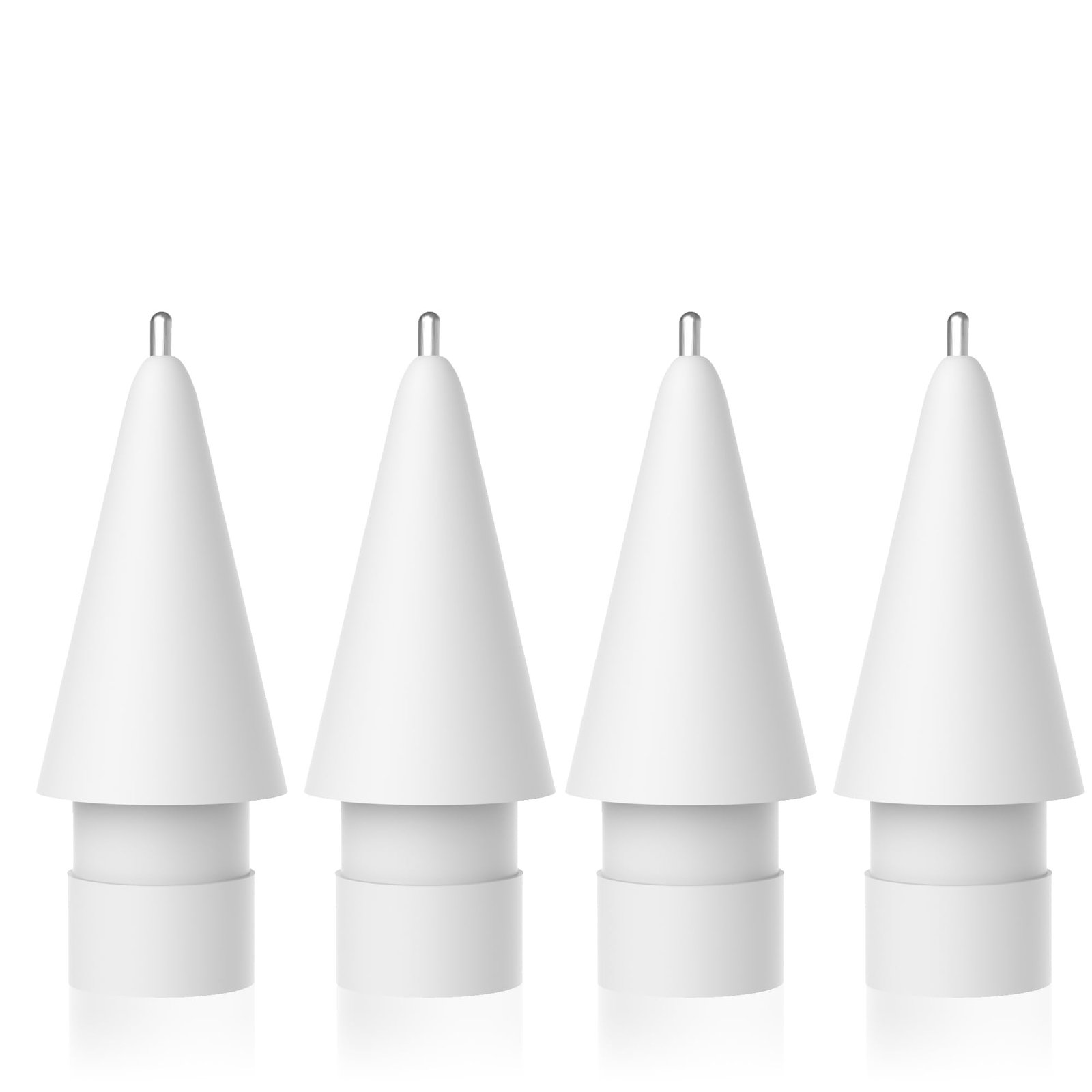
Key Advantages:
- ✦ Unobstructed Sightlines: You can see the exact pixel where ink touches down.
- ✦ Zero Wear Down: Factory tips flatten into plastic bevels after 6 months; titanium never alters its geometry.
- ✦ Compatible with Apple Pencil 1, 2 & USB-C: Screws directly onto factory threading in 5 seconds.
Why Traditional "Glued" Paperlike Protectors Failed (and Why Magnetic Wins)
The original Paperlike protectors had one major flaw: once glued on, your gorgeous \$1,000 Liquid Retina XDR screen was permanently trapped behind a cloudy, textured film. Watching Netflix, editing photography, or streaming YouTube looked dull and grainy.
The ESR Magnetic Detachable Protector permanently solved this dilemma. It uses precision magnetic side rails that snap onto the iPad's bezel without sticky adhesives or dust bubbles. When planning time is over, you peel it off in 1 second and store it inside its slim travel folder.
Ready to Experience True Tactile Planning?
Hardware is only half the equation. Pair your new tactile setup with our hyperlinked 2026 Life Reset OS & Sunday Routine Planners, built at 300 DPI for lag-free GoodNotes performance.